
Why Defend Exists
Generative AI is transformative, but enterprises are losing billions to hallucinations, compliance failures, and unreliable outputs. Most guardrail solutions only measure quality - they rarely enforce it. Defend was built to solve this gap. It continuously evaluates every response against rigorous guardrails, blocks failures at inference time, and applies automated remediation to protect both your brand and your customers.Key Definitions
- Guardrail Metrics: The heart of all of our APIs and Evaluations. Defend evaluates outputs against DeepRails’ research-backed General-Purpose Guardrail Metrics for correctness, completeness, adherence (context, ground truth, instruction), and comprehensive safety, with full support for Custom Guardrail Metrics available for users on SME & Enterprise plans.
- Workflow: Defend requires you to define and create a workflow, which represents a specific LLM use case or task. A workflow bundles together the guardrails, thresholds, improvement strategy, and retry limits that will be applied consistently to every output of that use case.
- Automatic & Custom Thresholds: A threshold is the score cutoff below which an output is treated as a hallucination. Defend supports automatic thresholds, which adapt dynamically to your selected hallucination tolerance level (low, medium, or high), and custom thresholds, where you define explicit cutoff values for each guardrail for maximum flexibility.
- Improvement Tools: When an output fails to meet the thresholds defined in your workflow, Defend can automatically apply one of three improvement strategies:
- FixIt: improves the flagged output using the failure rationale and surrounding context until it satisfies the workflow’s guardrails or retry limits are reached.
- ReGen: Regenerates a new output from the original prompt and parameters, introducing controlled variance to avoid repeating the same failure, and re-evaluates it against the workflow’s guardrails.
- Do Nothing: Records the failed output without attempting remediation, leaving handling of exceptions entirely to your workflow.
- Run Modes: Run modes give developers control over the trade-off between cost and accuracy. Fast uses budget models for maximum speed; Precision offers high accuracy analysis; and Precision Codex, Precision Max, and Precision Max Codex use advanced reasoning and codex models for maximum accuracy.
- Extended AI Capabilities: Many LLM applications have to go beyond model knowledge. DeepRails provides access to advanced tools like web and file search and context awareness for evaluations if needed.
How Defend Works
Defend operates via a simple but robust lifecycle:Workflow Setup
Event Submission
Evaluation
Remediation
Response & Visibility
Console Walkthrough
The Defend Console brings each stage of the lifecycle to life, making it easy to configure, monitor, and optimize your workflows.Metrics
The Metrics tab provides a visual, real-time view of how each workflow is performing across all guardrail metrics. It highlights how many outputs are being filtered, improved, or passed, and shows before-and-after score distributions so you can clearly see how Defend is raising quality over time.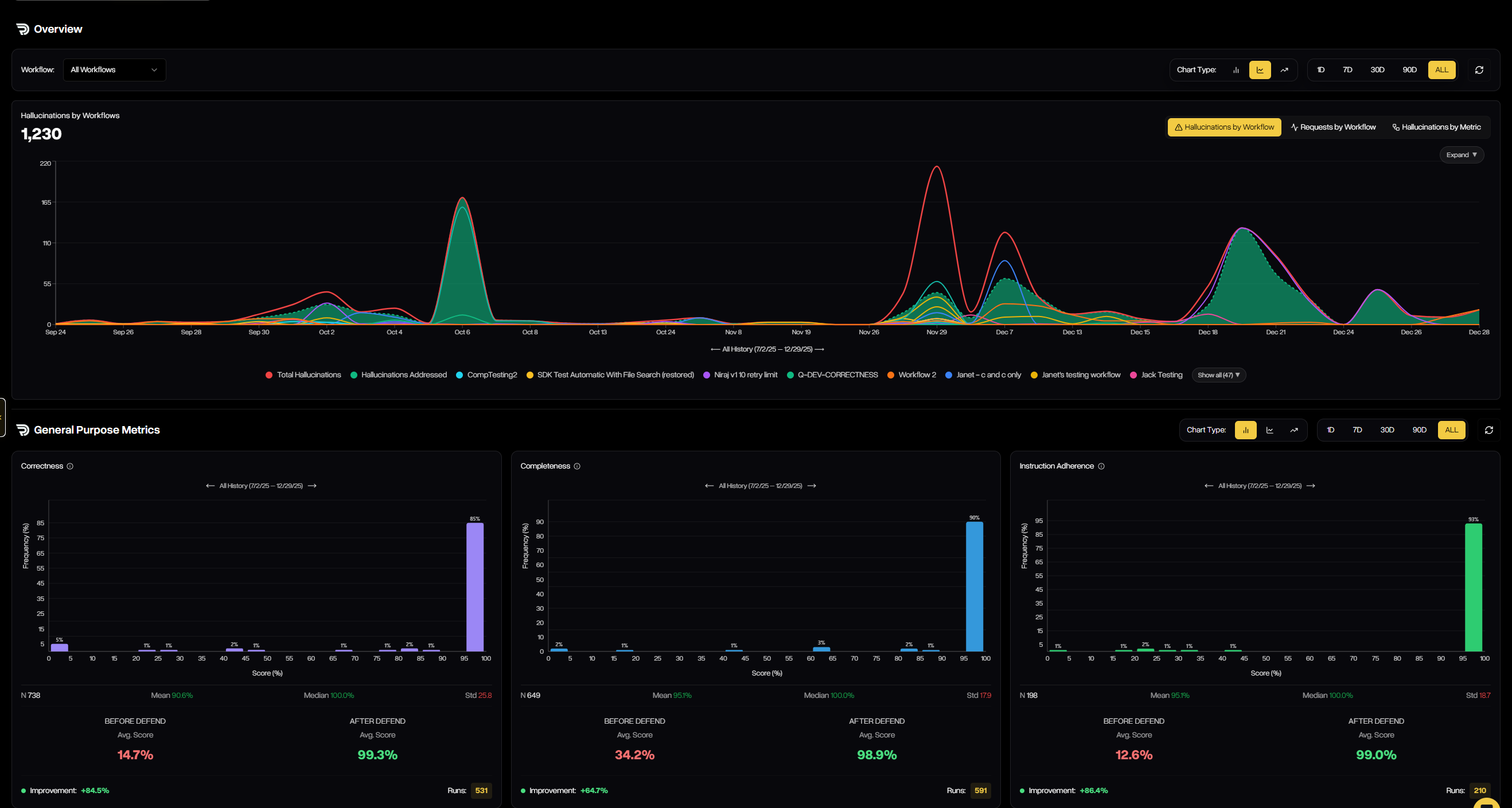
Defend Metrics visualizes how outputs move from failure to success — showing hallucinations filtered, improvements applied, and guardrail scores before vs. after Defend
Data
The Data tab provides a detailed, event-level view of every evaluation run that passes through a workflow. It captures inputs, outputs, status, scores, and more for each attempt. This gives teams full transparency into how Defend is filtering, correcting, or regenerating outputs in practice.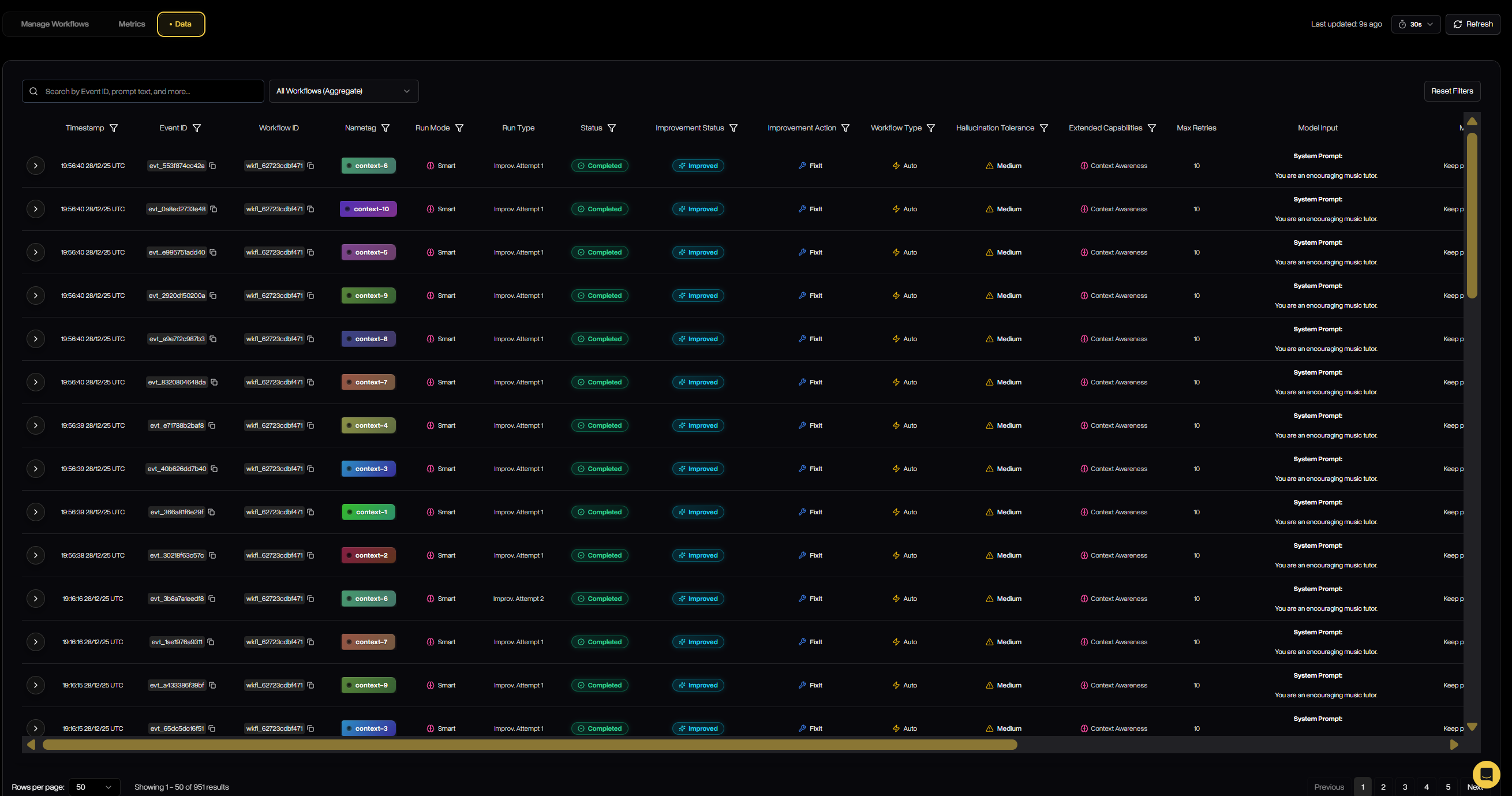
Defend Data lists every evaluation run, including workflow type, tolerance, improvement action, status, model, input/output, and guardrail scores across metrics.
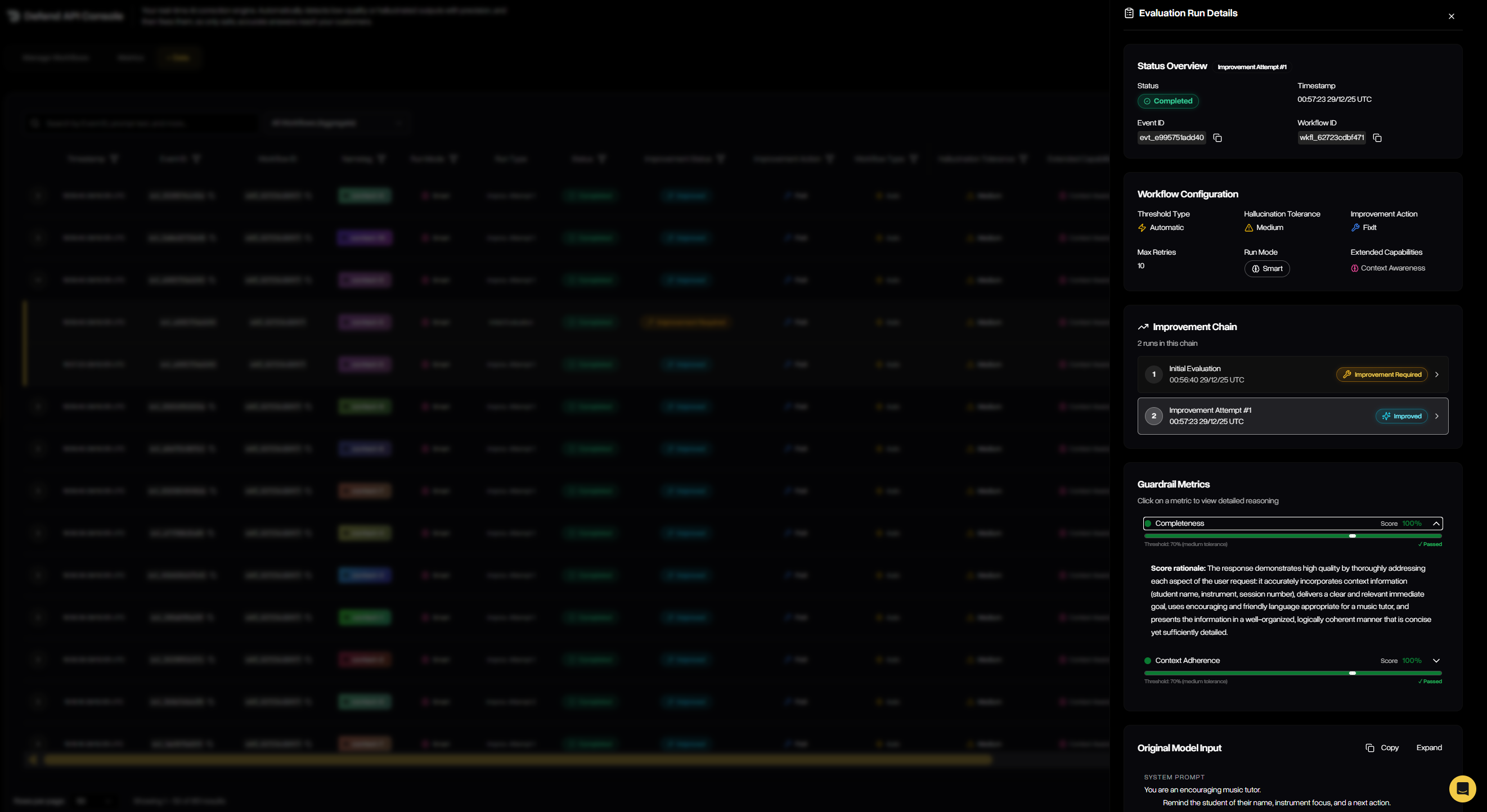
Clicking into an evaluation reveals the full improvement chain — each attempt, its outcome, and the final pass — along with workflow configuration and status metadata.
Manage Workflows
The Manage Workflows tab is where you configure, track, and maintain all workflows across your organization. It provides both a high-level summary of each workflow’s performance and the ability to drill into configuration details, thresholds, tolerances, and improvement strategies. From here, you can review existing workflows or launch the guided wizard to create new ones.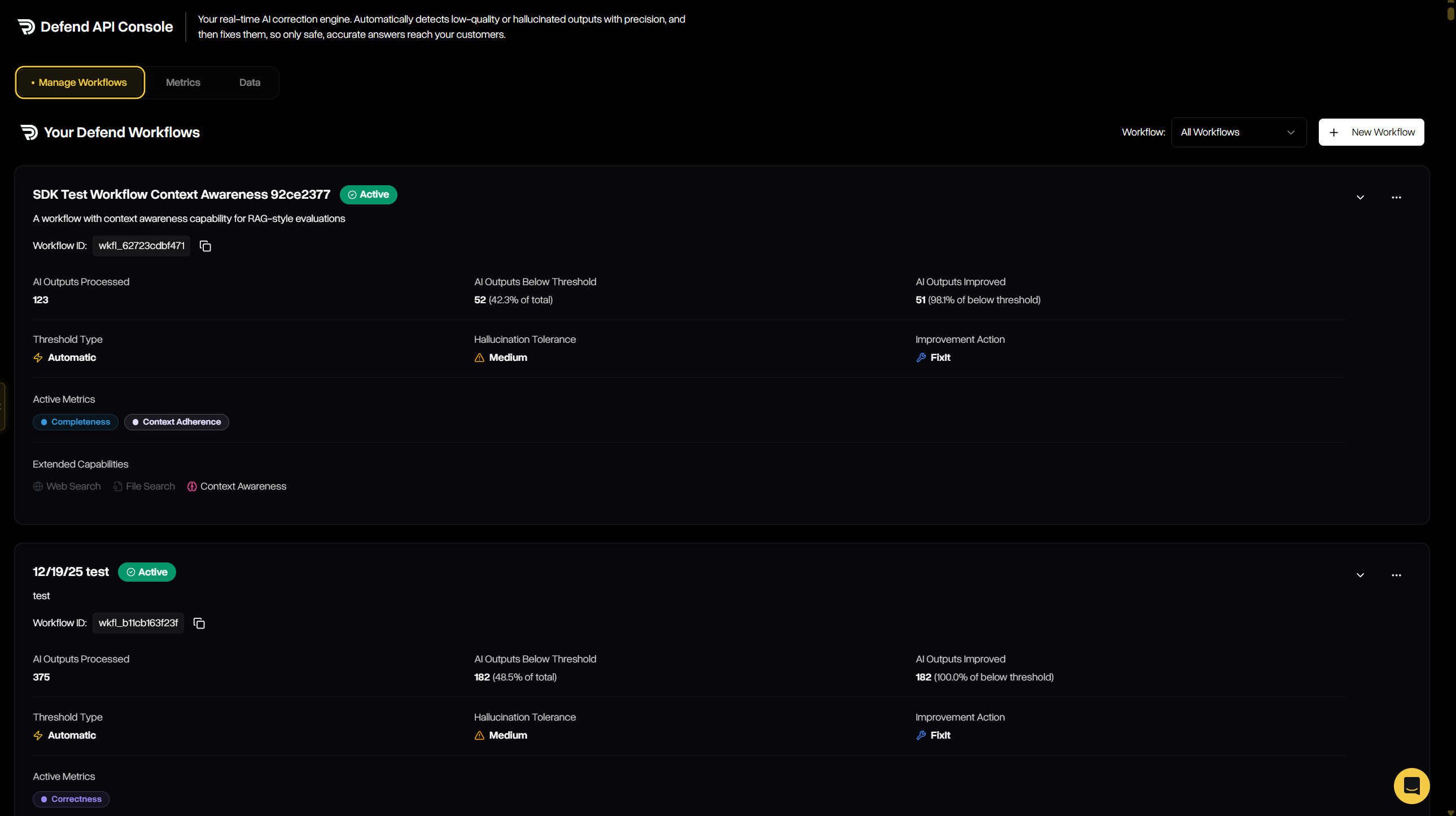
Workflow details show throughput, hallucinations filtered, improvements applied, thresholds, tolerances, and chosen improvement actions.
Creating a Defend Workflow
The creation wizard walks you through five simple steps to define how Defend will evaluate and remediate outputs:Step 1 — Basic Information
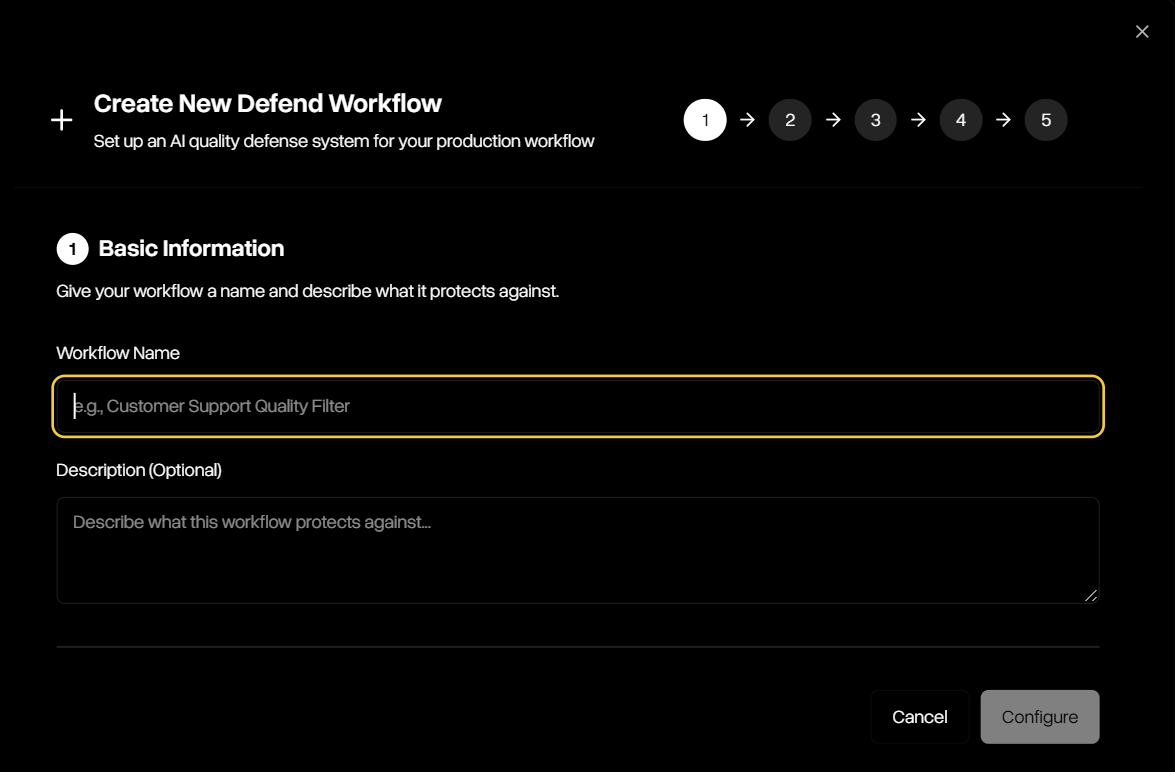
Provide a workflow name and optional description to define the purpose of your new workflow.
Step 2 — Select Metrics
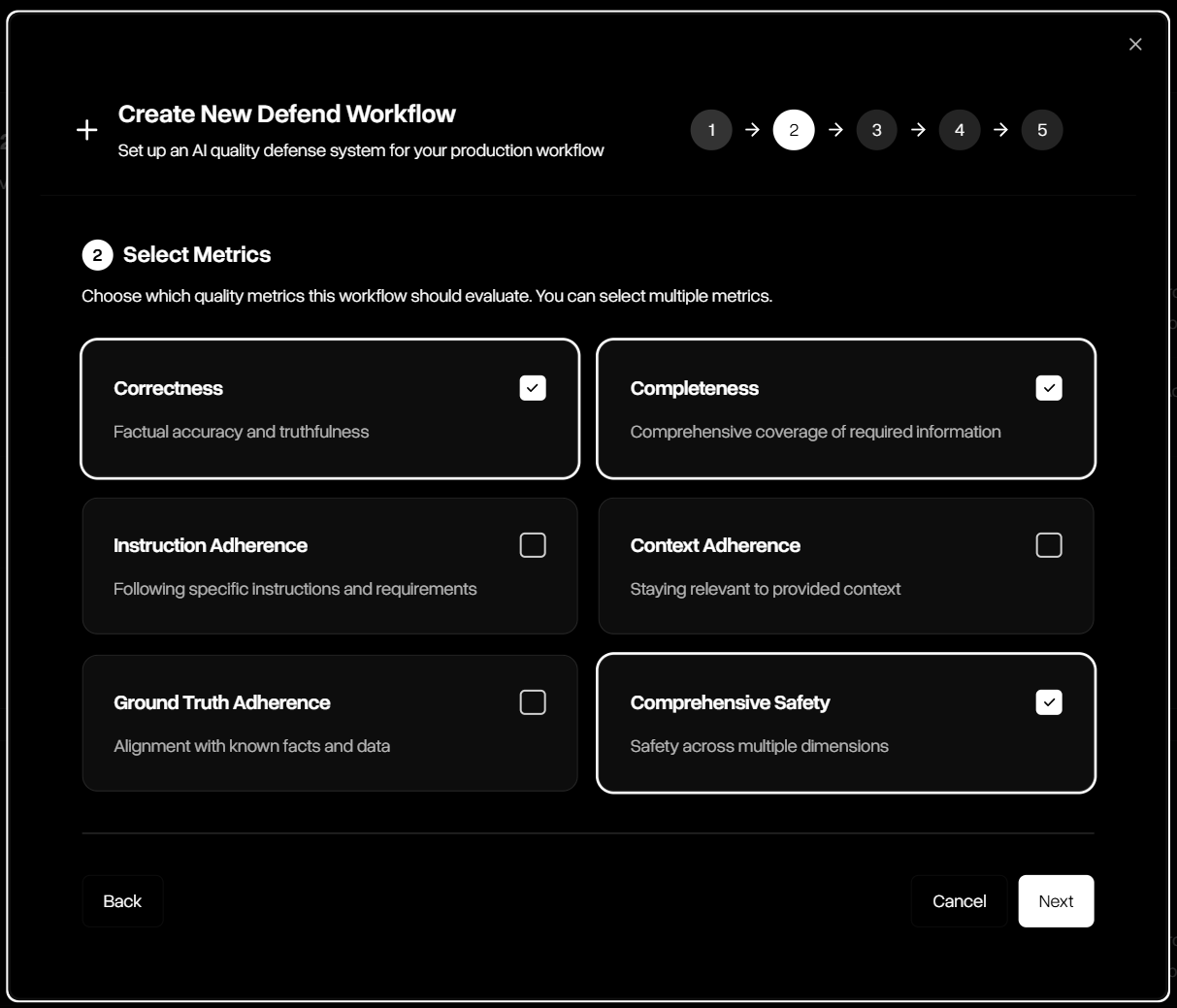
Select one or more guardrail metrics such as correctness, completeness, adherence, and comprehensive safety.
Step 3 — Extended AI Capabilities
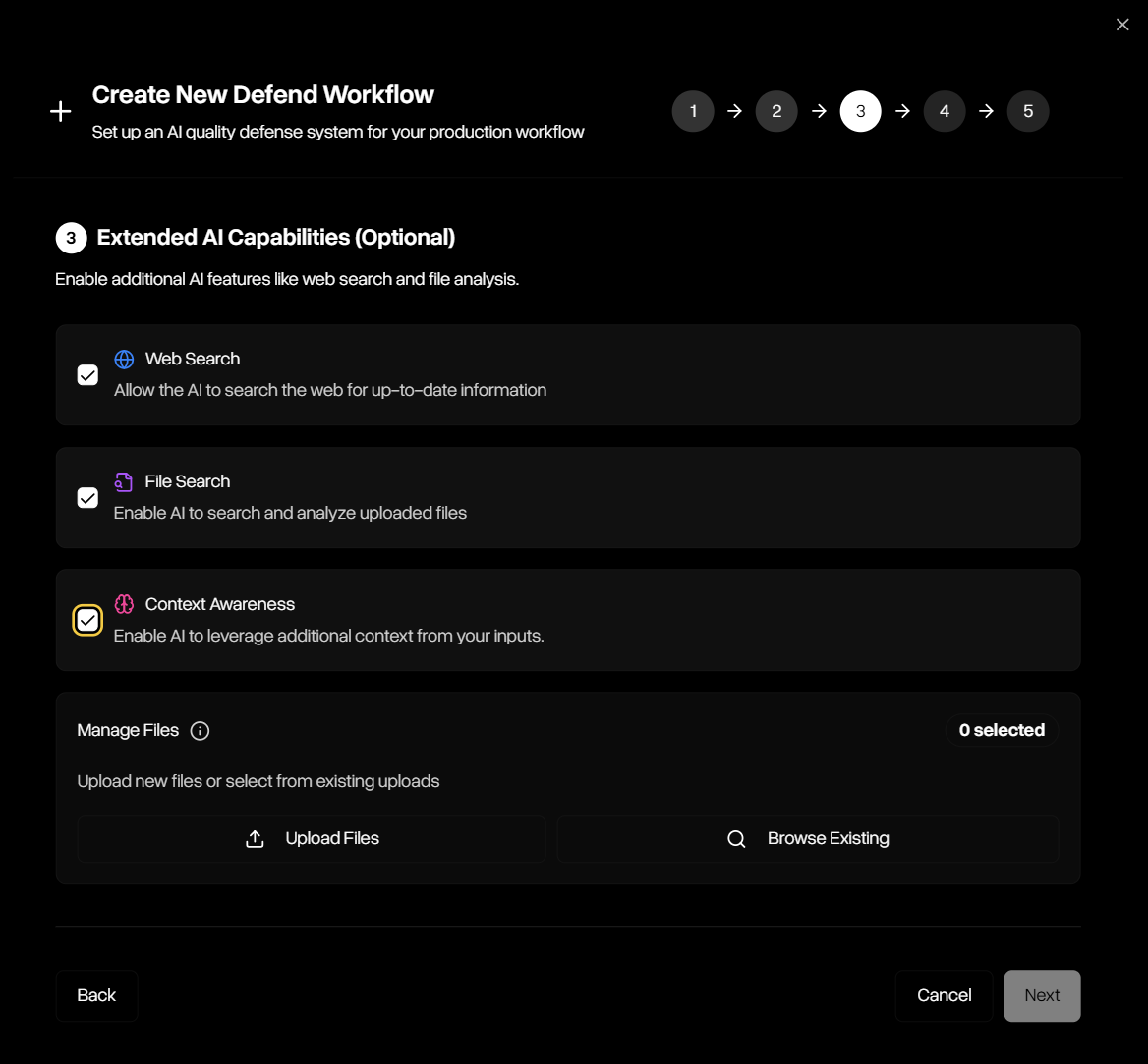
Select one or more extended capabilities such as file search or web search.
Step 4 — Configure Thresholds
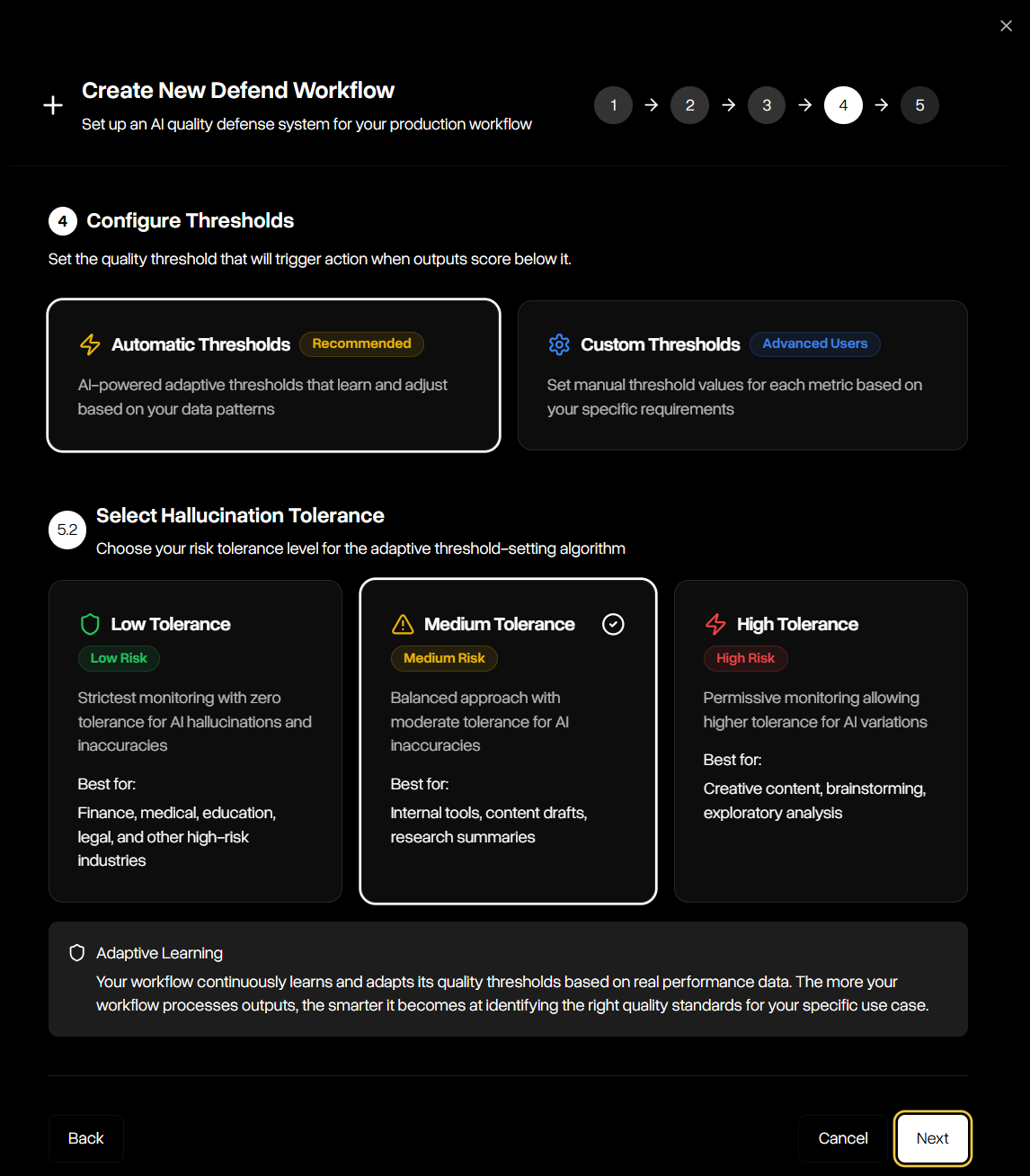
Configure thresholds using adaptive automatic tolerance levels or custom cutoff values per guardrail.
Step 5 — Choose Improvement Action
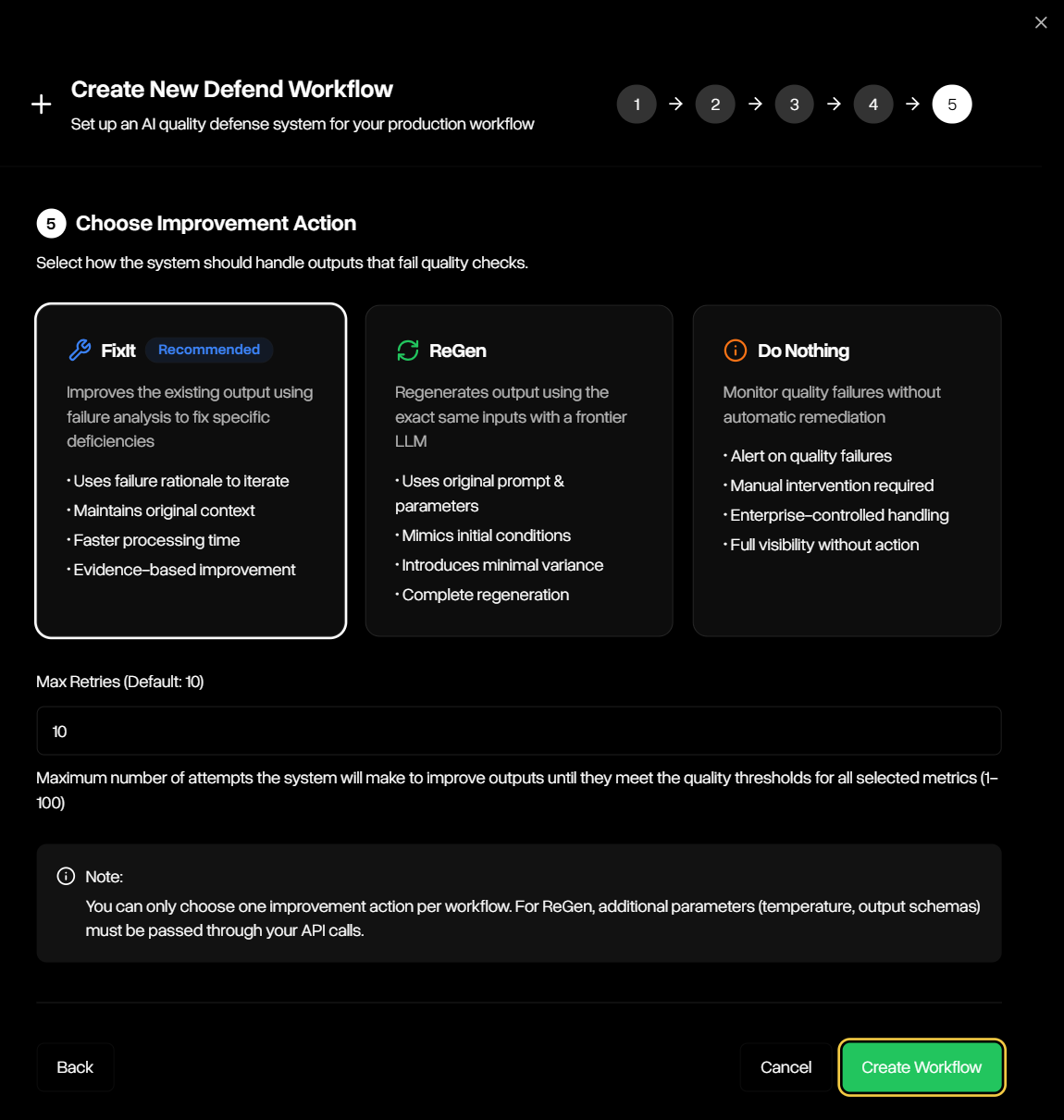
Pick between FixIt, ReGen, or Do Nothing, and set retry limits for remediation attempts.